Big-Tech Website Builders Compared: The Full Register
Google Sites, Square Online, Canva Websites, Adobe Express and Power Pages, ranked as actual website builders — every figure checked against vendor documentation in August 2026.
Big-tech website builders are a category with an unusual property: every product in it is owned by a company that would rather talk about something else. Google would rather discuss Workspace. Square would rather discuss payments. Canva and Adobe would rather discuss design, and Microsoft would rather discuss whatever Microsoft is discussing this quarter. The builders themselves — Google Sites, Square Online, Canva Websites, Adobe Express, Microsoft Power Pages — ship, run, and accumulate users in near-total silence.
This is the side-product problem. These are real tools with real capabilities and, in some cases, real prices, but nobody at the vendor is paid to explain them, no launch event ever introduces their features, and the review industry ignores them because most offer no commissions. Users are left guessing at limits the documentation states only partially, or not at all.
This page is the register: all five products, ranked in a fixed order, scored as actual website builders for real use rather than as accessories to their parents' ecosystems. Every figure below comes from vendor documentation and pricing pages checked in August 2026. We are not affiliated with any company named on it.
| Product | Parent | What's free | Paid from | Score |
|---|---|---|---|---|
| Square Online | Block, Inc. | Full store on a square.site subdomain, Square branding | $49/mo per location (Square Plus) | 8.1 |
| Google Sites | The entire product — no paid tier exists | $0 (there is nothing to buy) | 7.8 | |
| Canva Websites | Canva | 5 sites on my.canva.site, 10 published sections per page | $18/mo (Canva Pro; $144/yr) | 7.0 |
| Adobe Express | Adobe | Publishing, on an express.adobe.com URL | $9.99/mo (Premium; adds no web features) | 6.4 |
| Power Pages | Microsoft | 30-day trial only | $75/mo per 500 anonymous users | 6.0 |
Square Online — 8.1: the free store with a per-sale toll
Square Online is Square's ecommerce builder, assembled from the $365 million Weebly acquisition of April 2018 and aimed at sellers already inside Square's payment stack. It is the only product on this register that qualifies as a complete business tool. The free tier is a functioning store: unlimited products, pickup, local delivery and shipping, selling on search and social, SEO tools, and inventory sync with Square's point of sale — published to a yourname.square.site subdomain with Square branding attached. A custom domain requires a paid plan.
The plan structure changed on October 6, 2025, when Square collapsed eighteen à la carte subscriptions into three: Square Free at $0, Square Plus at $49 per month per location, and Square Premium at $149 per month per location. Legacy Square Online subscribers migrate through a self-serve process the help center describes with admirable economy:
"…automatically cancels your Square Online hosting plan and issues a pro-rated refund." — Square Help Center, on switching to the new plans
The catch is arithmetic. A free store is paid for per sale: since January 13, 2026, the free plan's online rate is 3.3% + 30¢ — a 0.4-point surcharge over the 2.9% + 30¢ that paid plans get, raised without much ceremony from the previous 2.9%. And the cheapest way off the surcharge is now $49 per month per location, where the legacy Square Online Plus plan was $29 flat; multi-location sellers noticed, loudly, on Square's own community boards. The full teardown is in our Square Online review, the free tier gets its own audit in is Square Online actually free, and the product itself is at Square.
The flat 30¢ is charged on both plans, so it is left off the bars. The orange length is the free plan’s surcharge: 0.4 of a percentage point on every online sale.
Affiliate link. We may earn a commission — it never moves a ranking.
Google Sites — 7.8: genuinely free, genuinely limited
Google Sites is the builder bundled with every Google account and every Workspace plan. There is no paid tier of the product itself — not as a pricing strategy, apparently just as a fact. What it does, it does honestly: section-based pages, native embeds for Docs, Sheets, Slides, Forms, Calendar, Maps and Drive folders, collaborative editing with visible cursors, and custom domains connected at no charge — up to five per site, with only your registrar to pay.
The limits are equally honest. There is no ecommerce anywhere in the product — no cart, no checkout, no catalog — and the only documented route to taking money is embedding a third-party payment button in a sandboxed iframe. There is no CSS or HTML access to the page. And storage works in a way most users learn about at the worst possible time:
"Sites and the content you embed in sites count toward your Drive storage quota." — Google Workspace documentation
Your site and your Gmail share a meter. The nastiest catch, though, is the exit, because there isn't one: no HTML export, no migration path, no way to move a Google Site anywhere else, ever. Development has meanwhile slowed to the ceremonial — two feature announcements in all of 2025 and, at the time of checking, none in 2026. Community-circulated capacity figures (around 10,000 pages per site) are no longer published by Google itself, which tells its own story. The Google Sites review has the full dossier; Google Sites vs Wix covers what the other side looks like. Price: $0, permanently.
Canva Websites — 7.0: the publish button on the poster tool
Canva Websites is what happens when a design tool acquires a publish button: a Canva design becomes a live page. Publishing is available on every plan, including Free — the gate is on volume, not on the button. Free accounts publish up to five sites on the my.canva.site domain; paid plans publish unlimited sites and can connect a domain you already own. Canva Pro runs $18 a month or $144 a year; buying a new domain through Canva costs roughly $19–25 a year depending on the TLD, with auto-renewal on by default.
The output is genuinely handsome — more than most of this register can say — and multi-page sites now stretch to 45 pages. But the one-pager DNA shows everywhere: the built-in navigation is anchor links jumping down a page, and there is no ecommerce, no blog engine, no native forms, and minimal SEO control. A Canva "multi-page site" remains, structurally, a stack of tall images with text on them.
The nastiest catch is an upsell of real craftsmanship: free accounts can design twenty sections per page but publish only ten. The editor cheerfully lets you build a page twice as long as it will release, then presents the choice — delete half your site or subscribe — at the exact moment you are proudest of it. Full dossier in the Canva Websites review, the head-to-head in Canva vs Squarespace, and the tool itself at Canva.
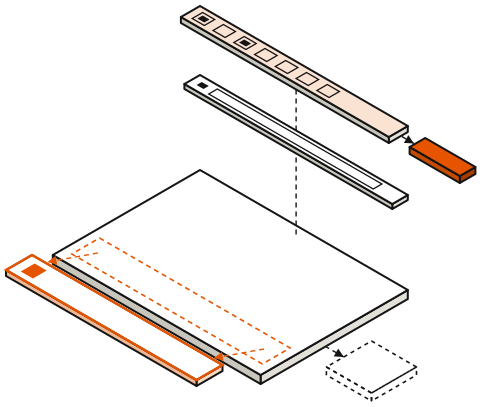
Each slab is one section. Solid: published. Dashed: designed in the editor, held back on the free plan.
Affiliate link. We may earn a commission — it never moves a ranking.
Adobe Express — 6.4: web pages as a side effect
The webpage feature in Adobe Express is the last living descendant of Adobe Spark Page, a 2016 product Adobe has renamed more often than it has improved. It makes a single scrolling page — quickly, and with Adobe's design polish — published to an express.adobe.com URL. Publishing is free on every plan; Premium at $9.99 a month adds stock assets, AI credits and storage, and precisely no web features. The current help pages, updated as recently as April 2026, confirm the feature is alive.
What no plan adds is a custom domain. There is none, at any price, a point Adobe staff settled in their own community forums:
"…the custom domain name feature isn't available in Adobe Express." — Adobe staff reply, Adobe Community forums, March 2025
So an Adobe Express "website" is a share link on Adobe's domain: no domain of your own, no export, no way to move it. The feature draws no headline attention in Adobe's 2025–2026 update posts — the investment goes to AI and video — and the community bug board carries recurring reports of published pages disappearing from accounts, with no version history to recover them. The old Spark mobile apps were retired in March 2025; existing pages stayed live at their URLs, which is the kindest sentence in this entry. Treat the product as a nicely typeset temporary document. The Adobe Express review documents the whole situation.
Microsoft Power Pages — 6.0: the portal in a builder costume
Power Pages is Microsoft's low-code portal builder — successor to Power Apps Portals — for exposing Dataverse data to external users behind Entra ID authentication. As an enterprise product it is coherent: permit applications, partner onboarding, customer self-service, all inside Power Platform governance. As a website builder, which is how the marketing page dresses it, it is the strangest thing on this register.
Pricing is per capacity pack, per website, per month, paid yearly: $200 per 100 authenticated users, or $75 per 500 anonymous users. Pay-as-you-go meters at $4 per authenticated and $0.30 per anonymous unique visitor per month. There is no free production tier — only a 30-day trial — and capacity is licensed per website, so a second site doubles the bill. A modest brochure site doing 5,000 visitors a month prices out around $750 monthly at list rates. The rate card is public on Microsoft's pricing page.
5,000 anonymous visitors a month ÷ 500 per pack = 10 packs; 10 × $75 = $750 a month, at list.
The catch inverts the whole category: Power Pages bills you for traffic. Anonymous visitors are metered per unique user, so the thing every other builder on this page wants for you — an audience — is a licensing event here. None of this is a defect if you are the actual customer, which is an IT department with Dataverse data and a governance requirement. If you are anyone else, Power Pages, explained explains why you should close the tab.
The shutdown precedent
Until March 2024, Google operated business.site: free single-page sites auto-generated from Google Business Profiles, used by millions of very small businesses as their only web presence. Google announced the end, switched the sites off in March 2024, redirected visitors to Business Profiles for three months, and let the URLs go dark on June 10, 2024. Every printed QR code, directory citation and backlink pointing at a business.site address has been a dead link since.
Google's advice to displaced owners was to rebuild with Wix, Squarespace, GoDaddy, Google Sites, Shopify or WordPress — which is to say: go get a real website. The general lesson is that side products are cost centers, and cost centers do not get defended when priorities shift. That is why "no export" is the most heavily weighted defect in our scoring, and why what happened to business.site is required reading before betting a business on anything documented here.
How we scored them
Each product is scored out of 10 as a website builder for real-world use — not as a feature of its parent's ecosystem, where several would score higher and Power Pages might merit a 9. The inputs: what the free tier delivers once actually published; documented capability across commerce, domains, SEO and forms; exit paths, weighted heavily for the reason stated one section up; pricing honesty, including per-sale and per-visitor tolls; and maintenance signals read from official changelogs and release cadence.
The evidence base is vendor documentation, pricing pages and help centers, quoted verbatim as exhibits where the wording matters. We fabricate no benchmarks and no users. Some links route through /go/ redirects that can earn a commission — scores are fixed before links are placed, and most products here have no affiliate program to court us anyway. The accounting is in the affiliate disclosure; the method is on the about page.
Which side door should you take
Scenario routing, in the spirit of a support flowchart:
- You sell things, or intend to: Square Online. The free store is real, the toll is per-sale, and nothing else in this category has a checkout at all.
- You need a team site, a club page, or a documentation hub inside Google's world: Google Sites. The Workspace embeds are the product. Public-facing marketing is where it stops.
- You need one handsome page by Friday — a portfolio, an event, a menu: Canva Websites, understood as a poster with a URL.
- You already pay for Creative Cloud and need a shareable page rather than a web presence: Adobe Express, with your content backed up somewhere Adobe cannot lose it.
- You run IT somewhere with Dataverse data and external users to authenticate: Power Pages is genuinely for you, and you already knew that. Everyone else can stop reading its pricing page now.
And if the honest answer is that you need forms, SEO, commerce and a domain you control, all at once — that is not a side-door problem anymore. The graduation routes are documented in when you've outgrown them, and the ceilings that force the move are cataloged in the hidden limits of free big-tech builders.
Frequently asked questions
Q.01Is Google Sites really free?
Yes, completely: there is no paid tier of Google Sites to buy, and connecting a custom domain costs nothing beyond your registrar fee. The asterisk is storage — site content counts against the same Drive quota as your Gmail and Drive files. The other cost is captivity: there is no way to export or move the site later.
Q.02Can Square Online replace a real website?
For a small store, yes — it is the one product in this category with genuine checkout, shipping and inventory features on a free plan. The trade-offs: your site lives on a square.site subdomain with Square branding until you pay, and free-plan online sales are processed at 3.3% + 30¢. As a general-purpose builder for non-commerce content it is serviceable rather than strong.
Q.03Do Canva websites work for business?
For a portfolio, an event page, a menu or a launch teaser, yes — the output looks professional with minimal effort. For an ongoing business presence they run out of road: no ecommerce, no blog engine, no native forms, minimal SEO control, and free-plan pages publish at most 10 sections with a mandatory Canva footer.
Q.04Is Power Pages for small businesses?
No. There is no free production tier, and the cheapest public configuration is $75 per month per 500 anonymous visitors, licensed per website — a mildly successful page becomes a licensing event. It is built for organizations exposing Dataverse data to authenticated external users, with enterprise budgets to match.
Q.05What happened to business.site?
Google shut down the free websites generated from Google Business Profiles in March 2024, redirected their URLs for about three months, and let them go dark on June 10, 2024. Millions of small-business sites vanished, and Google's guidance was to rebuild on a third-party builder. It remains the defining precedent for trusting a giant's free side product.
Q.06Will these products get shut down too?
Nobody outside the vendors knows, and the vendors' track records advise humility. Our reading of the signals: Square Online is safest because it feeds Square's payment revenue; Google Sites and Canva Websites look stable but slow-moving; Adobe Express webpages show the classic neglect pattern; Power Pages is safe but expensive. Plan for continuity you control — own your domain and keep your content exportable.